News
24.11.2013 - Version 1.0.2 released
Switched to git
Working now with PHP version 5.3.1
Minor bugs fixed
24.11.2013 - Future Release Plans for WorldCup 2014
After a long break the betster crew is back on the road again! A major
release for spring is planned, since the next soccer world cup is
coming closer.
A main feature, which will be added is static
accounts, where the admin can manually create accounts. This is
helpful for community betting in intranets, where the admin collects
the fee and hands out the login data.
05.08.2007 - Version 1.0.1 released - It is a bug-fix release. The demo
betoffice will be updated in the
next days.
What's new? The sequence of the categories can be changed in the backend.
24.01.2007 - Documentation added
21.01.2007 - The 1.0 version has been released, and there is a
new website online with a demo bet-office for testing purposes
http://betster.anarchotronik.com, which runs better than
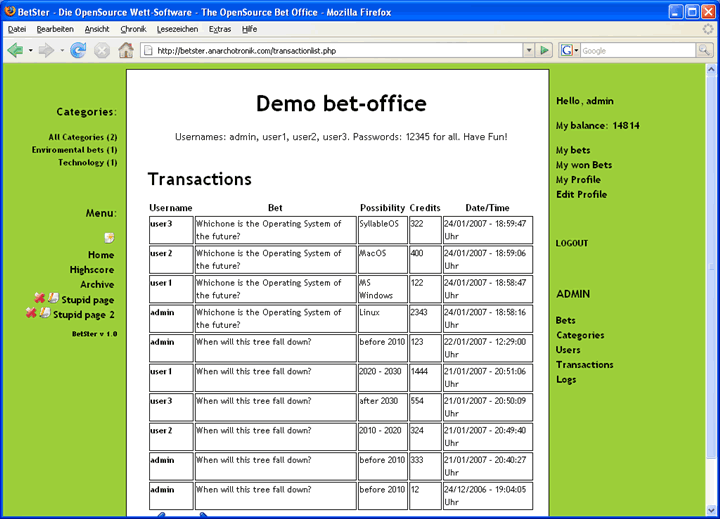
the old one on the sourceforge server. The usernames are "admin", "user1", "user2" and "user3"
and the password is "12345" for all.
Join it!
24.08.2006 - Betster 1.0 beta released
06.05.2006 - Betster beta tests started
What is Betster?
Betster is an OpenSource Software to create a online bet office
based on PHP and MySQL. The system works with variable Quotes and
a totalisator. You bet not for money but with credits. The
initial amount of credits which a user gets at the registration
you can choose. The admin can manage the bets, he is the bookmaker
of the bet office, he manages the categories and administrate the users.
Betster needs PHP >= 4.3 and a MySQL database >= 2.23 to run without problems.
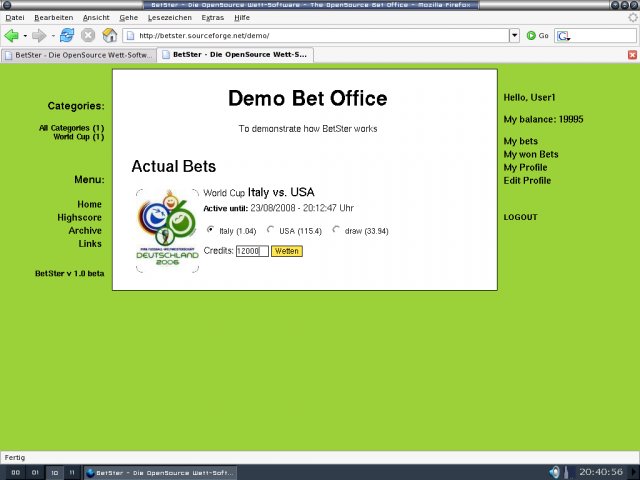
The following image shows how an example bet is displayed in the browser.

Installation
You need a Webspace with a PHP Version >= 4.3 and a MySQL Database with version > 2.23,
your Websver also needs
a loaded GD-Module as a PHP exension to provide the GD-Libraries for image manipulations.
More Information: http://www.libgd.org/.
Normally this feature is enabled. You can check it with the phpinfo() command.
For the installation follow these instructions:
- Download the newest version
- Extract the files from the betster folder into your webspace
- Change the permissions for the folders "images/bet", "images/category",
"images/bet/tmp" and "images/category/tmp" to 755 or 766 or 777
- Create a MySQL Database
- Insert the query from the file query.sql (which you find in the betster folder)
into your Database
- Edit the configuration.php file how you like it.
There you can edit Title, Subtitle, etc. of your bet-office. Don't forget to insert the database name, host, username and password and the smpt host, username and password.
- Call index.php with your browser
- Log in as admin with the password 12345 and change quickly your password
- Eventually read the documentation
If you have problems simply write a mail to bet@anarchotronik.com or post in the forum.
License
Betster is licensed under the GPL